
Authorize and Manage Your Social Media Accounts
1. Authorization
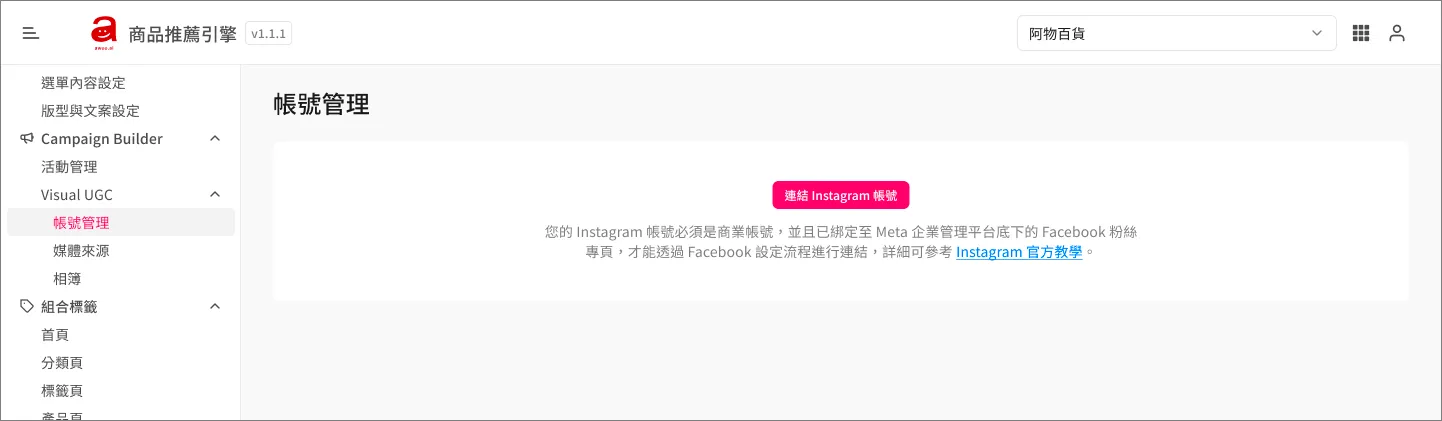
Click the button to link your Instagram Business Account:
- Log in with your Facebook account.
- Select the Meta Business Asset Group that this Facebook account belongs to.
- Select the Facebook Page under this Meta Business Asset Group.
- Select the Instagram Business Account linked to this Facebook Page.
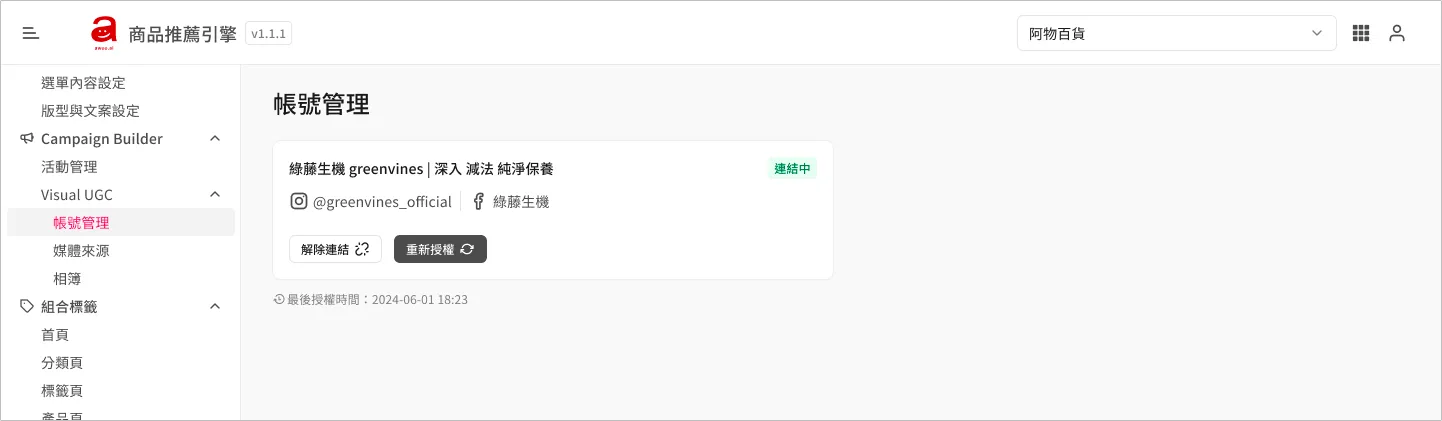
After a successful connection, you can view the profile information of the Instagram Business Account and the time of the last account authorization.
2. Re-authorization
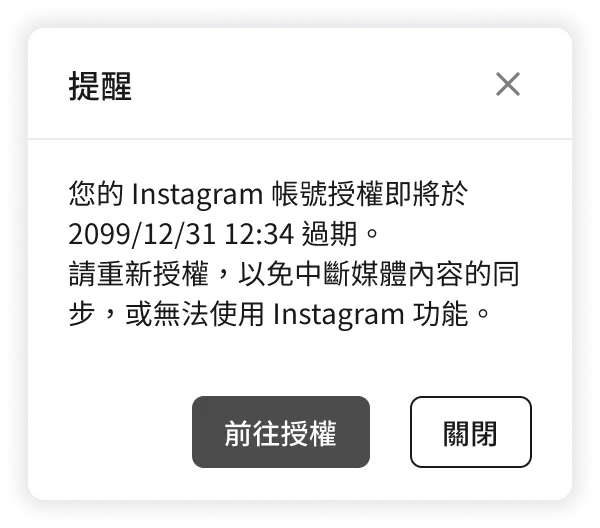
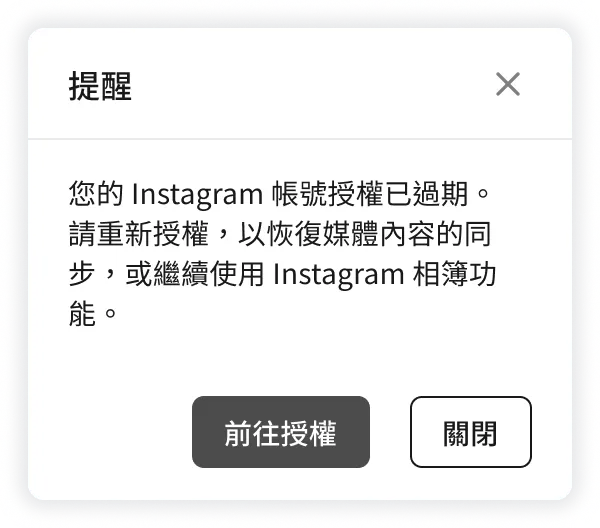
Authorization expires every three months. Once it expires, AMP will no longer be able to sync new Instagram posts for you. Therefore, starting from the 14-day countdown to expiration and every day after it has expired, a notification reminder will pop up every time you log into the AMP backend. This is to remind you to re-authorize so that the synchronization function of the Visual UGC media sources is not affected.
3. De-authorization
If you no longer wish to use the Visual UGC service, you can unlink your Instagram Business Account. After unbinding, the post candidate pool of the media source will be cleared entirely. However, posts that have already been selected into album folders will continue to exist in those albums and will not be affected by the unbinding of the account.
FAQ
➤ How to set up an Instagram Business Account?
Please refer to the official Instagram tutorials:
-
How to add an Instagram account to a Business Asset Group in Business Manager
-
How to link an Instagram account to a Facebook Page under the same Business Asset Group
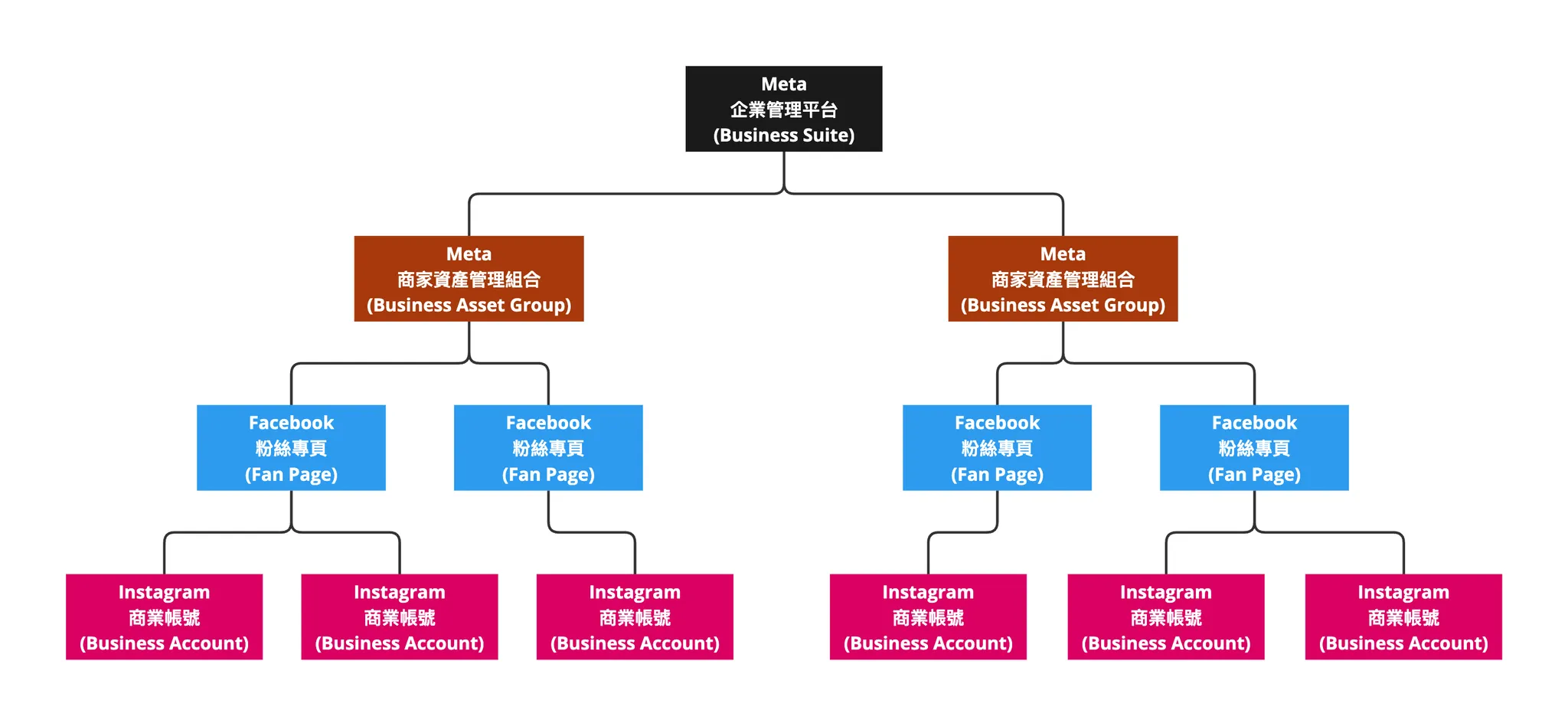
➤ Why can't I just log in with an Instagram account? Do I have to log in with a Facebook account?
There are two types of Instagram account authorization:
| Accessible Instagram Data | Authorization Method |
|---|---|
| Limited to posts under this specific account only (Instagram Basic API) | Can be authorized by simply logging into the Instagram account |
| Includes posts under this account, as well as posts from specific hashtags and posts published by others (Instagram Graph API) | Must log in using Facebook Login and then select the Instagram Business Account under the corresponding Meta Business Asset Group to complete authorization |
The Visual UGC feature of awoo AMP belongs to the second type. Therefore, you must log in via Facebook to complete authorization before we can synchronize hashtag-related posts for you.
➤ What are the impacts of authorization expiration or de-authorization?
| Media Source Pool | Albums | Campaign Star Page Components | |
|---|---|---|---|
| Authorization Expired | Synced posts still exist, but no new posts will be synced. | Existing albums and posts under them still exist; unaffected. | Existing page components and their linked albums remain unchanged; unaffected. |
| Unbinding (De-auth) | All posts and tracking settings will be cleared. | Existing albums and posts under them still exist; unaffected. | Existing page components and their linked albums remain unchanged; unaffected. |
Updated 8 months ago