
Create Your First Campaign Page
Add Campaign Pages in Management List
-
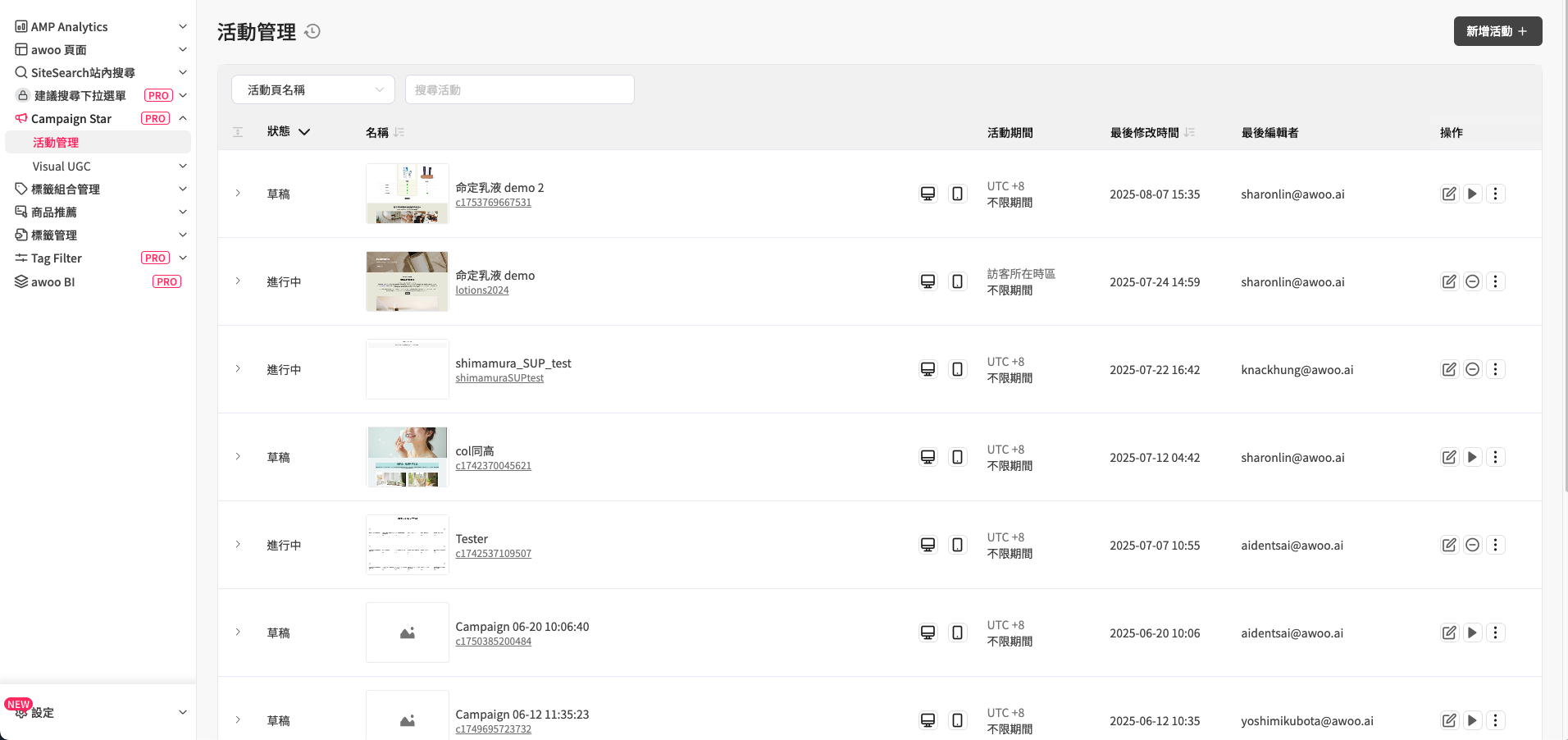
Open Campaign Star → Campaign List in the management interface.
-
Click the "Add Campaign" button in the upper right corner to create a new campaign page.
-
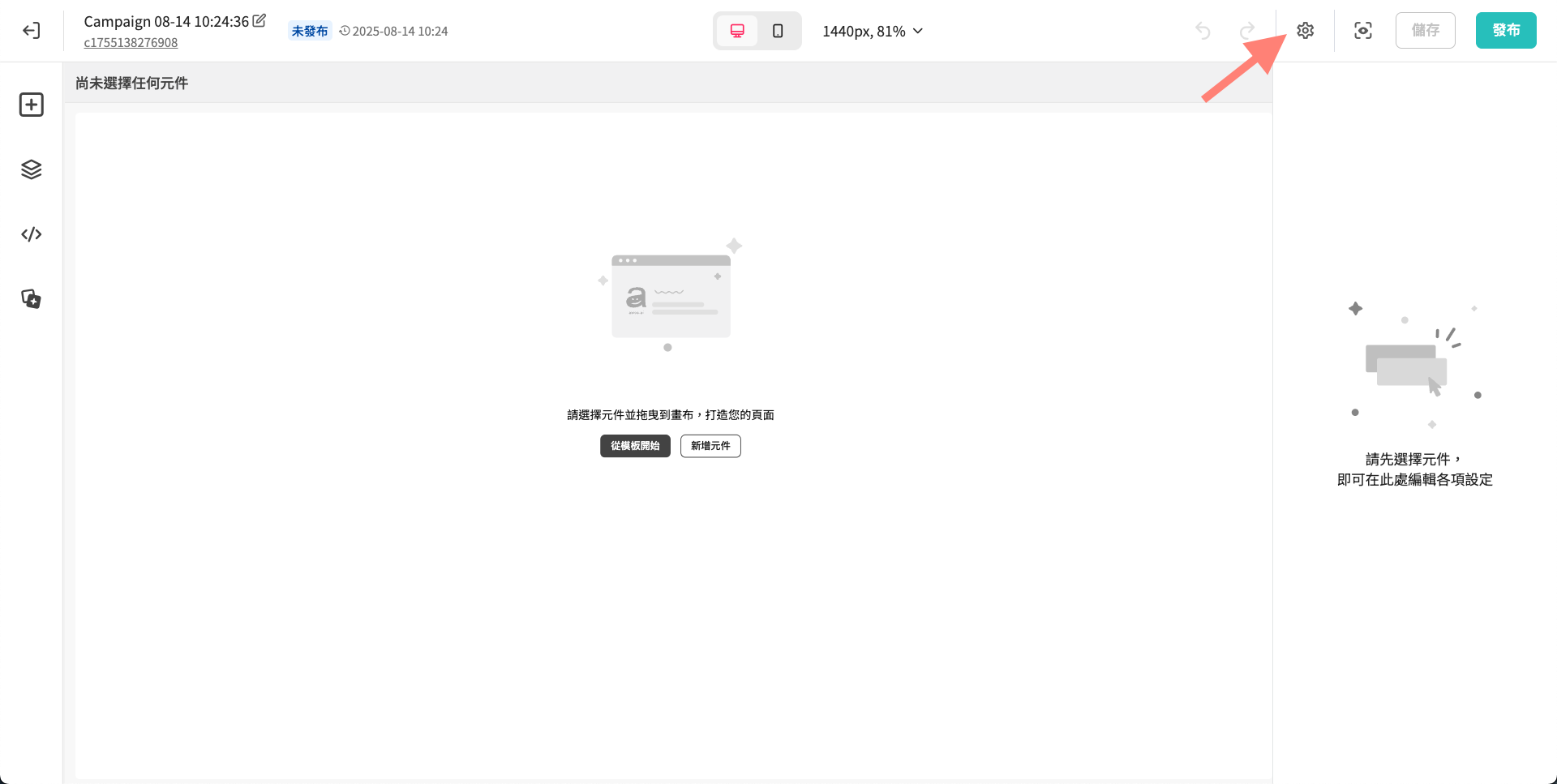
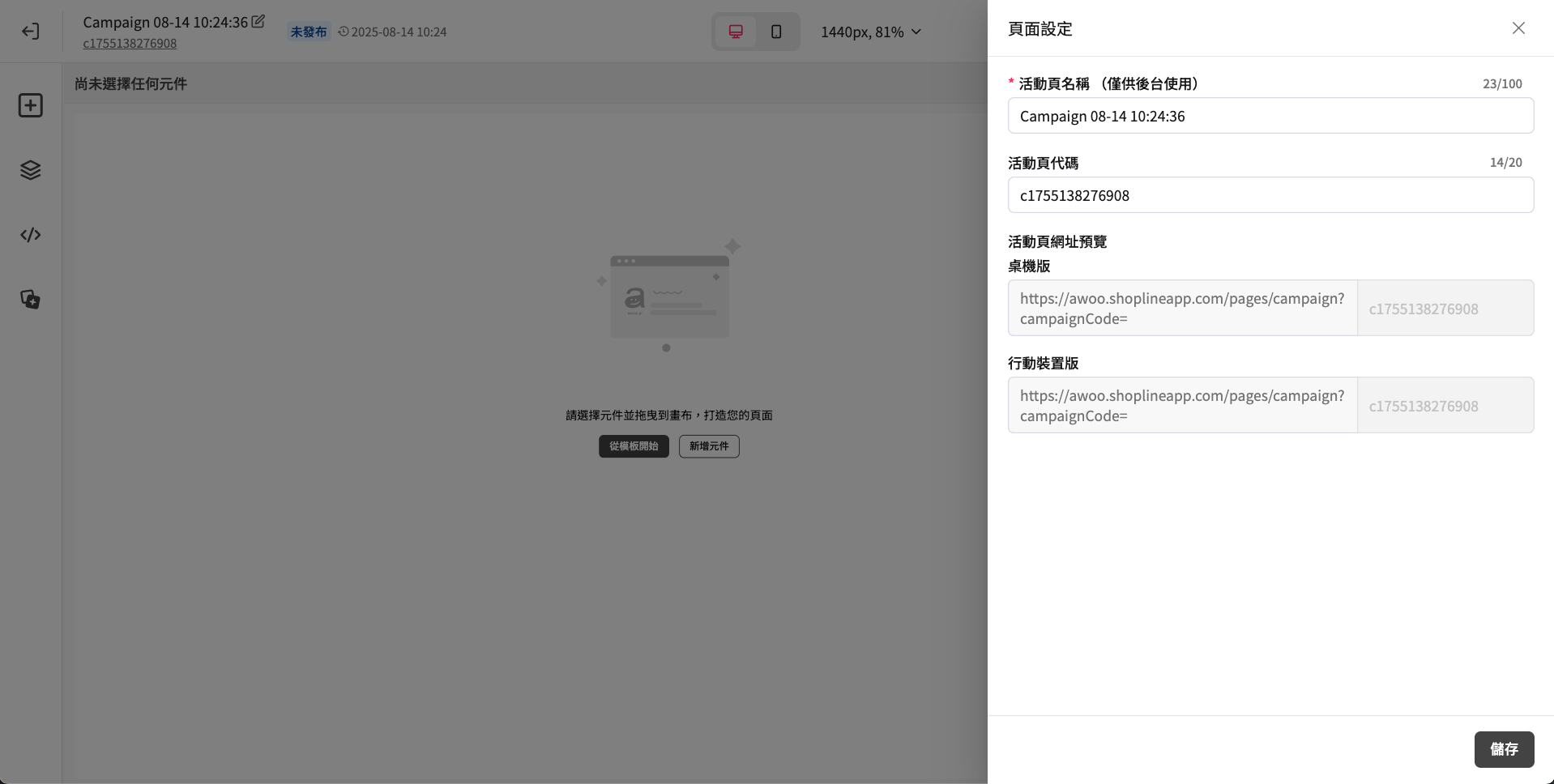
After successfully adding a campaign page, it's recommended to first click the gear icon in the upper right corner and find Page Settings in the menu to configure:
- Campaign Name is a required field.
- Campaign Page Code refers to the campaign parameter code appended to the URL. If not filled in, the system will automatically generate one randomly.
- If you haven't decided on a campaign theme yet, you can also edit these settings later.
-
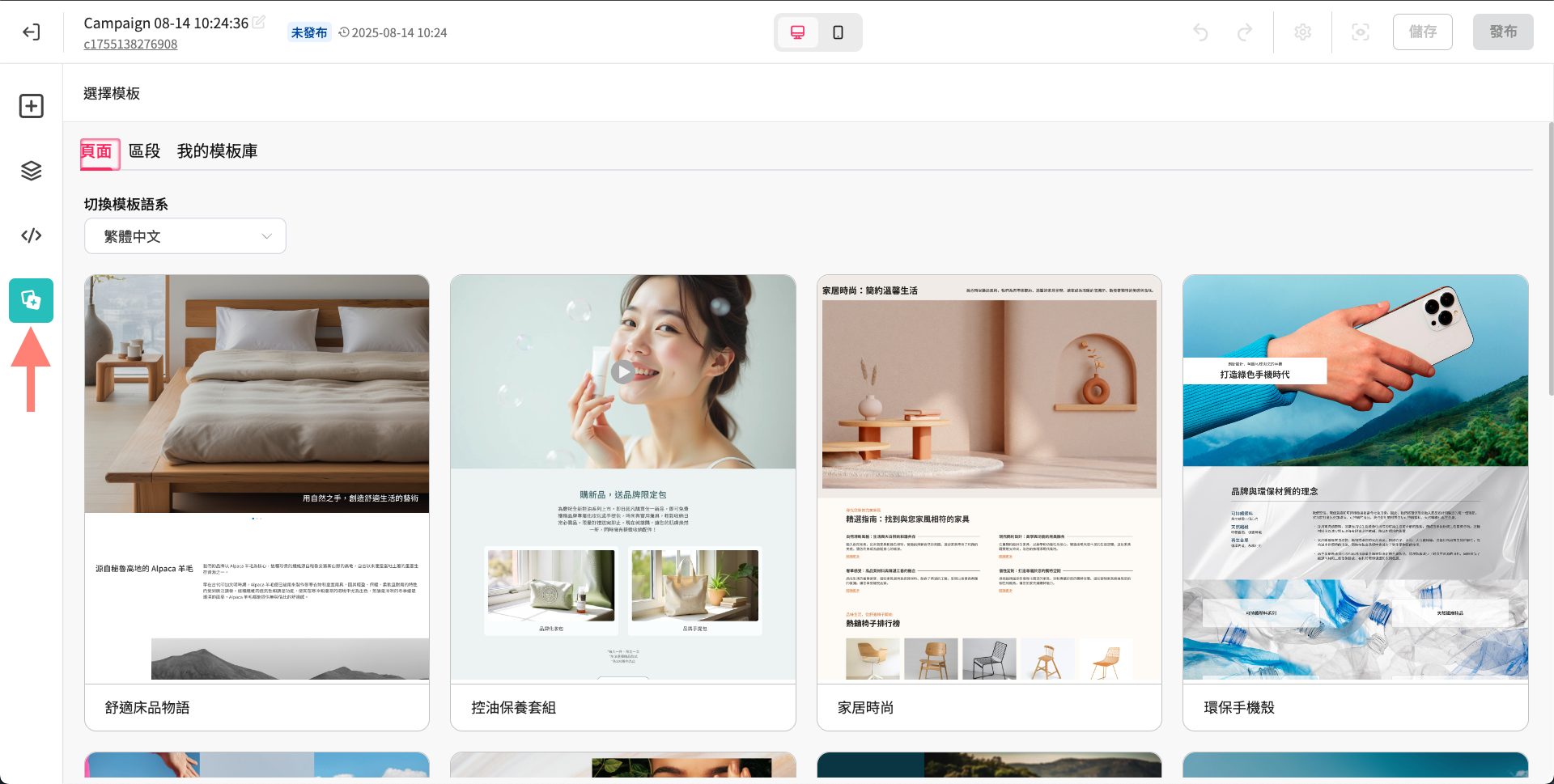
When facing a blank campaign page, you can choose to edit from scratch or directly apply a template.
-
After successfully applying a template, the system will automatically redirect back to the page editor canvas.
Start Designing Your Campaign Page
🕗 Time-Saving Tools
- Can I save previously designed campaign content for future use?
- It's tedious to re-select colors for each element. How can I quickly copy element styles?
- How do I know where the element I just dragged is or what the overall structure looks like?
👓 Reader-Friendly
- My campaign page content is very long. Can I create a table of content for the webpage for quick navigation?
- I want to have different layouts for the same element on different devices, or hide certain elements on specific devices. How do I do this?
- I want to reverse the display order of elements on specific devices. How do I do this?
🛠️ Fine-Tuning
Updated 8 months ago
Did this page help you?